
For our service and in most cases the best option is the Amazon FireStick or The ONN Streaming devices work very well too. However, there are now certain versions and models that WILL NOT work with our app or any other 3rd party apps such as downloader which is what we use to bring our app onto the firestick device. You never want to purchase any of the sticks that say “SELECT”. These absolutely will not work as they have the Amazon Vega operating system on them. Stay away from these.
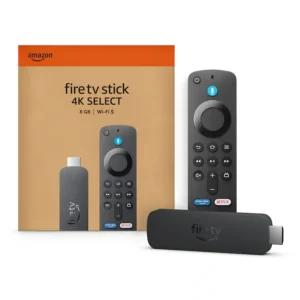
DO NOT PURCHASE THE SELECT
Lately as of July 26 we have found that many of the newer model fire sticks with WIFI 6 have also been found to have this operating system on them and customers have had to send them back. Its just a safer bet to buy the WIFI 5 stick. Acording to the developer of downloader this is indicated on the box picture showing the device edges are rounded off as opposed to the older models that have squared off ends. See image.
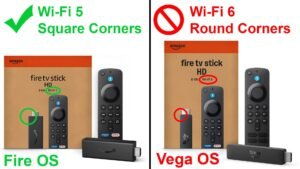
Some of these have worked, while others have not. We also suggest not to purchase the Roku devices as well, though the Smarters app has been designed for these they still have their limitations. Best bet is to get the 4K WIFI 5 firestick. This app will also work on the ONN streaming devices (video coming soon)
ONN devices are recommended
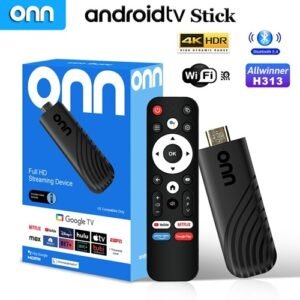
The ONN Streaming stick or box both work well with our apps
Here are the instructions to install any of the apps on the ONN devices. Just use the app/service code from the install page
Phones and Tablets
Yes! All services are available on your cell and tablet.
The one thing to keep in mind is that the services are IP restricted. This means that all devices must be on the same network and location when any devices are connected. This means you can not use the phone or tablet away from your house while someone at the house is watching there. You can use the phone at your home with other devices up to the limitations of your subscription or you can use it away from the house as long as no other devices at the home are connected. If you want to use a phone away and still be able to use the devices at home at the same time, this will require a seperate login account for the phone.
ANDROID
Android phones and tablets can run the apps directly as the run on the fire sticks and other android devices. The links to download are below. Once installed you can login with your regular account credentials.
BeeHive Plus
Ta-Da
IOS PHONES AND TABLETS
Iphones and tablets require you to download a seperate app that will run on the IOS operating system called the smarters player lite. The link is below. Make sure that it is the smarters with an S player. NOT the smarter with no S player please.
https://apps.apple.com/us/app/smarters-player-lite/id1628995509
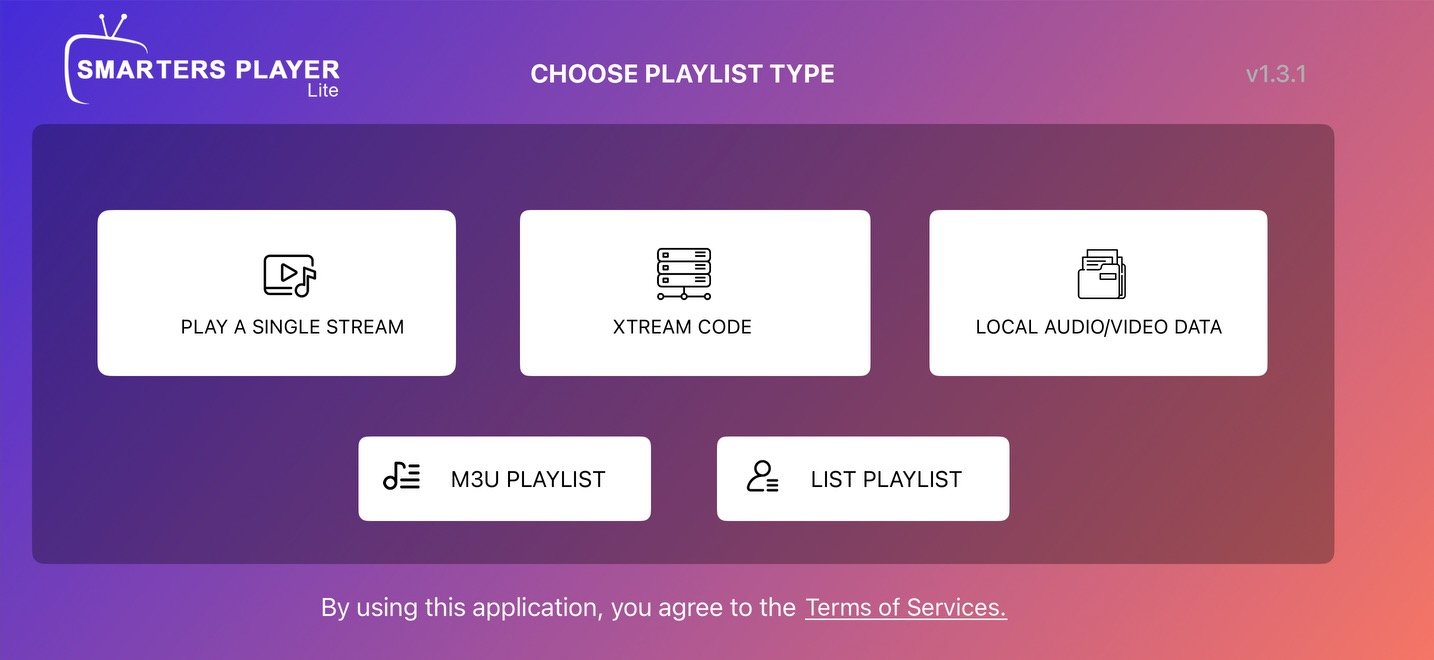
Choose xtream code
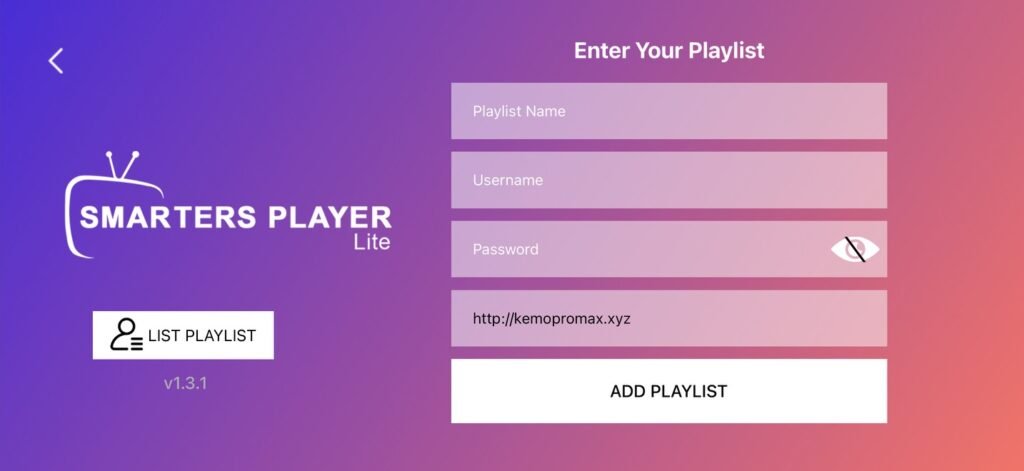
Fill in the info as needed. first line can be anything. then your login and use the URL in the image for Ta-Da. for SST use this page to get the best link for your connection https://sstv.hstn.me/?i=1 login using your credentials and then run the server scan to get the best connection. Just copy and paste the URL from the server scan results.